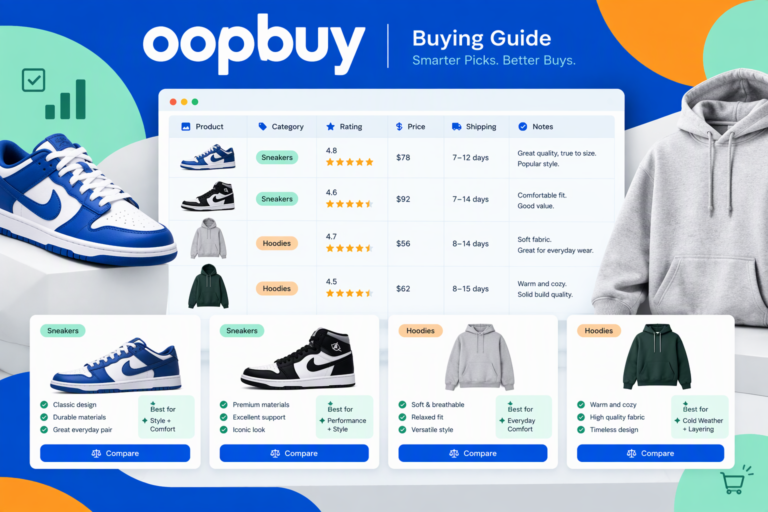
Buying from Chinese marketplaces can look intimidating at first: Chinese product pages, unfamiliar sizes and a shipping process with several stages. The good news is that it becomes easy once you understand the flow. This oopbuy Spreadsheet Guide breaks everything down into clear, beginner-friendly steps so you can place your first order with confidence. For a quick summary, you can also check the four-step overview on the oopbuy Spreadsheet homepage.
What You Need Before You Start
- An email address to create your oopbuy account
- A payment method supported in your country
- Your exact shipping address and phone number
- A tape measure and one of your favorite garments for size comparison
- The oopbuy Spreadsheet open in another tab
Step 1: Set Up Your oopbuy Account
Register on oopbuy and verify your email. Add your shipping address in the format your local postal service uses. Write your name in Latin letters, add your full postcode and include an active phone number – couriers often text or call before delivery. Completing your profile now saves time at checkout later.
Step 2: Find Items in the oopbuy Spreadsheet
The spreadsheet is divided into categories such as Shoes, Hoodies/Sweaters and Jackets. Browse a category, compare photos and prices and read any notes about fit. When you find something you like, click the link. It opens directly in oopbuy with an English translation. Not sure how to read each column? Our article oopbuy Sheets explained covers it in detail.
Step 3: Choose the Right Size
Sizing is the number one issue for new buyers, so take two extra minutes here:
- Lay a garment you already own flat and measure the chest (armpit to armpit) and the length (shoulder to hem).
- Compare those numbers with the size chart on the product page – usually in centimeters.
- If you are between sizes, go up one size for tops and outerwear.
- For shoes, measure your foot length in millimeters and compare with the insole length rather than the EU or US number alone.
Step 4: Place the Order
Select your size and color, set the quantity and add the item to your cart. Use the remark field for special requests, such as “please send the black version, not navy”. At checkout you pay for the item plus domestic shipping from the seller to the oopbuy warehouse. International shipping comes later, once all your items have arrived.
Step 5: Wait for Warehouse Arrival
oopbuy buys the product from the seller. Most sellers ship within a few days. When the item arrives, its status changes to “in warehouse”. During this time you can keep adding items from other sellers and platforms – one of the biggest advantages of using an agent.
Step 6: Review QC Photos
QC (quality control) photos are pictures of your actual item taken at the warehouse. Check:
- Color – does it match the listing?
- Size tag – is it the size you ordered?
- Stitching and print – are there obvious defects?
- Measurements – request a tape-measure photo if you are unsure about fit.
If something is wrong, request an exchange or return while the item is still in China. This is much easier and cheaper than dealing with returns after shipping.
Step 7: Submit Your Parcel and Choose Shipping
When you are happy with your items, select them and submit a parcel. oopbuy shows the estimated weight and the shipping lines available for your country. Economy lines are cheaper but slower; express lines are faster but cost more. Ask for shoe boxes to be removed if you want to reduce volume weight. To learn more about packing strategy, read our oopbuy hauls guide.
Step 8: Track and Receive
After paying for shipping you receive a tracking number. Delivery usually takes one to three weeks, depending on the line and customs in your country. Keep your order screenshots in case your local customs requests proof of value.
Quick Beginner FAQ
Can I order from different sellers in one parcel?
Yes. That is exactly how agents save you money. Items from Weidian, Taobao, 1688 and Pinduoduo can all be combined.
How much should my first order be?
Start with two to four items. You will learn the process without risking too much, and you will still benefit from combined shipping.
Where can I find links that are not in the spreadsheet?
You can paste almost any product URL into oopbuy. Our oopbuy Links tutorial explains how.
Is it cheaper than buying locally?
For many items, yes – even after international shipping. The savings are biggest on outerwear, sneakers and bundles of basics, because you buy close to the source and split shipping across several items.
What if my item arrives damaged?
Choose shipping insurance when it is offered, keep your unboxing photos and contact oopbuy support with your order number. Careful QC review before shipping prevents most problems.
Conclusion
Once you complete your first order, the whole oopbuy process feels simple: find, order, check QC, ship. Use this oopbuy Spreadsheet Guide as your checklist, and visit the oopbuy Spreadsheet homepage whenever you need a refresher. Ready for inspiration? Browse the newest picks in our oopbuy Spreadsheet 2026 update.